

About ERPIND
Empowering Businesses with Simplicity and Efficiency
At ERPIND, we believe that managing your business operations should be effortless and effective. We are here to simplify your workflow with a comprehensive, user-friendly ERP platform designed for businesses of small to medium scale industries.

Who we are
ERPIND is a modern, innovative ERP solution that brings all your business operations under one platform. From managing projects to streamlining sales, HR, and finance, we provide tools to help you save time, reduce costs, and drive success.
Why Choose ERPIND
Ease of Use:
Designed to eliminate complexity, our platform ensures effortless navigation for both new and experienced users.
Customizable Solutions:
Tailor the features to match your business needs with custom fields, modules, and packages.
Comprehensive Insights:
Access detailed reports across modules for better decision-making.
Reliable Support:
Our dedicated ticket management system ensures that your issues are resolved within 48 hours.
Scalable for Growth:
Whether you are a small startup or a growing enterprise, ERPIND scales with you.
We envision a future where technology doesn’t just automate work, but truly connects people, drives purpose, and enables businesses to rise beyond limitations.
With ERPIND, we strive to bridge gaps between teams, reduce everyday chaos, and help businesses focus on what truly matters—growth, people, and purpose.
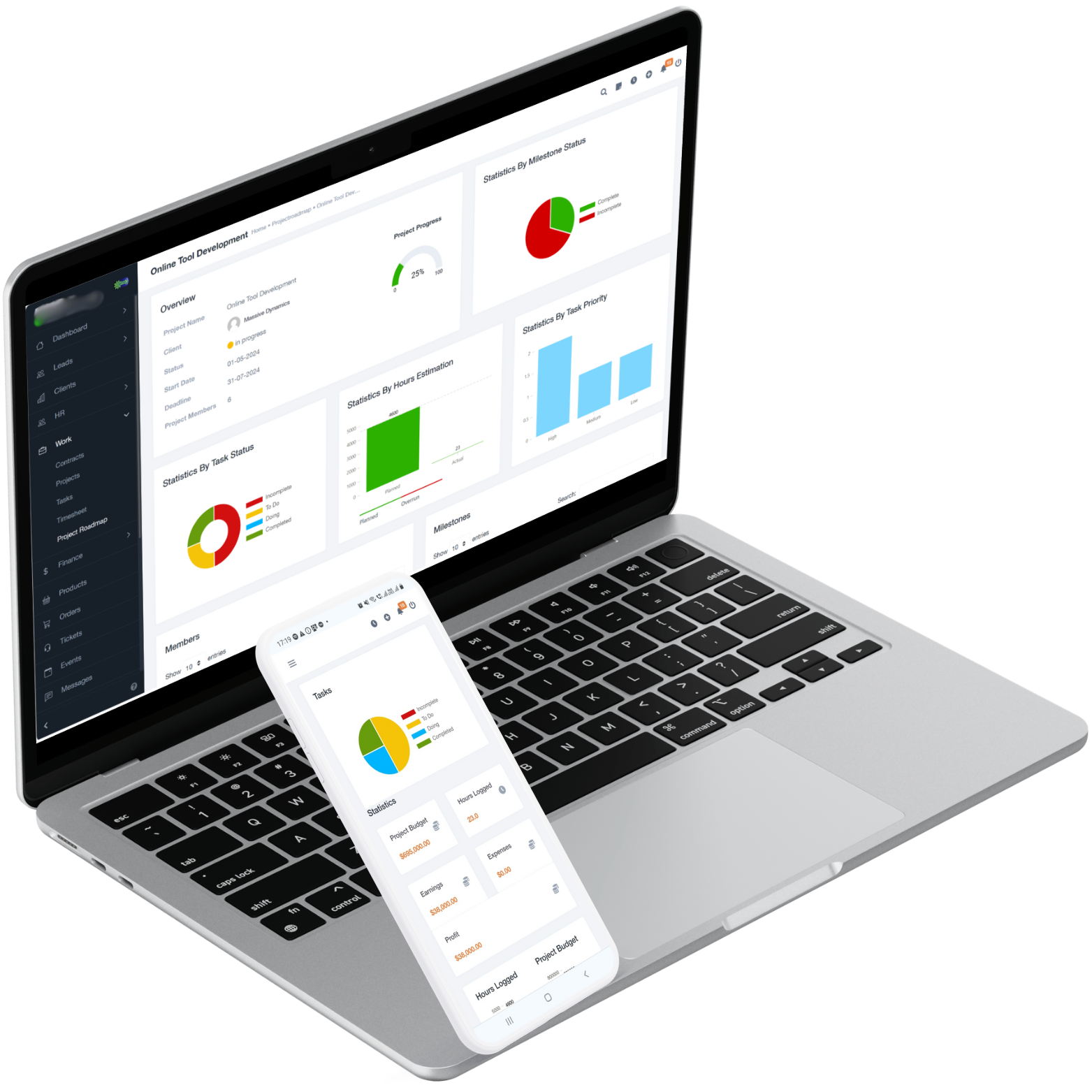
Seamless Business Management to Optimize Your Business Data Easily!
Unlock the full potential of your business with an all-in-one ERP platform that’s easy, customizable, and insight-driven.
All-in-One Business Management
Seamlessly manage projects, finances, HR, sales, and more—all from a single, easy-to-use platform designed to simplify your workflow.
Customizable for Your Needs
Tailor ERPIND to fit your business, with flexible modules and custom fields that adapt to your unique operations.
Insightful Reporting & Analytics
Gain actionable insights with powerful, real-time reports across all modules, helping you make informed decisions and drive success.
Have Questions? We are here to help
What is ERPIND, and how does it help businesses?
ERPIND is a cloud-based ERP solution that simplifies managing projects, HR, finance, sales, and more, ensuring smooth and efficient business operations.
How does ERPIND differ from other ERP platforms?
ERPIND offers modular and customizable features, ensuring flexibility to suit diverse business needs. It’s user-friendly, cloud-based, and affordable for businesses of small to medium scale industry sectors.
Is ERPIND suitable for small businesses or startups?
Absolutely! ERPIND offers packages like Free Forever and Starter, tailored for startups and small businesses to kickstart their ERP journey effectively.
How secure is my data with ERPIND?
ERPIND ensures data security with robust encryption, periodic backups, and secure cloud hosting, offering peace of mind for all users.
Can I try ERPIND before purchasing a package?
Yes, you can start with our 30 Days Trial (where you don’t need to pay anything) to explore full functionality of ERPIND. After 30 Days post your Trial Package, your plan will be transferred to “Free Forever” package where you will get limited functionality for lifetime.
What kind of support does ERPIND offer?
ERPIND provides email and ticket-based support to address all your queries and technical issues promptly
Does ERPIND provides training to use the ERPIND platform?
Training is not required for ERPIND due to its intuitive and user-friendly design. However, we provide dedicated support via a ticket management system. Simply raise a ticket with your issue, and our team will resolve it within 48 hours. If needed, we can also arrange a conference meeting to address your concerns and ensure smooth operations.
Can I customize the platform to suit my business needs?
Yes, ERPIND offers extensive customization options. You can modify workflows, preferences, and even add custom fields to any module to capture specific information that aligns with your business needs, all without requiring technical expertise.
How does the ticket management system work?
ERPIND offers a comprehensive ticket management system that supports both internal and platform-level issue tracking:
- Internal Ticketing: Employees can raise tickets for internal issues within the organization, which can be managed and resolved by the Admin of the company, ensuring streamlined internal communication and problem resolution.
- Platform Support Tickets: Admins can raise platform-related issues directly to ERPIND. Our team ensures resolution within 48 hours, and for complex issues, we can arrange a conference call for further assistance.
This dual-layered ticketing ensures seamless support for both organizational and platform-related needs
How easy is it to integrate additional modules into the platform?
ERPIND offers simplified integration of additional modules. Once activated, modules seamlessly sync with your existing setup, requiring minimal effort or downtime.
Do I need additional resources to manage the ERPIND platform?
No, ERPIND is designed for simplicity and efficiency. With its user-friendly interface and intuitive workflows, you don’t need extra resources or technical expertise to manage the platform
Can I add or remove features as my business grows?
Feature management in ERPIND is handled through our flexible package system. If your business requires specific functionalities beyond the standard packages, we can create a Custom Package tailored to your unique needs. Simply contact us at contact@erpind.com, and our team will design a solution that aligns perfectly with your business requirements
Can I add custom fields to capture specific data?
Yes, ERPIND enables you to add custom fields to any module, allowing you to capture and track data specific to your business processes without requiring technical support
What are the available packages in ERPIND?
ERPIND provides a range of packages tailored to suit small to medium-sized industries, accommodating businesses with just one employee or thousands. Visit our Pricing page for detailed information.
We also offer the option to create a Custom Package designed to meet your specific business requirements. For assistance, reach out to us at contact@erpind.com
What features are included in the Free Forever package?
The Free Forever package includes basic functionalities within project management, timesheets, and client management, ideal for startups and very small sized teams.
Can I customize a package if my business needs are unique?
Yes, custom packages are available to tailor the platform according to your specific requirements. Contact us at contact@erpind.com to discuss customization.
Is there any additional functionality available beyond what is visible in the Trial packages?
Yes, ERPIND offers a range of additional modules that can be added on top of the Trial packages to enhance your business operations. These modules include:
- Payroll Management: Streamline employee salary processing and compliance.
- Recruitment Management: Simplify hiring and candidate tracking processes.
- Purchase & Inventory Management: Manage procurement and inventory seamlessly.
- QR Code Management: Generate and use QR codes for various business needs.
- Zoom Meetings Integration: Enable seamless video conferencing within the platform.
- Webhook Automation: Automate workflows by connecting with external applications.
- Any many more…….
These features can be activated as per your business requirements. For more details, feel free to contact us at contact@erpind.com.
Is there an option for monthly or yearly subscription plans?
Yes, ERPIND offers both monthly and yearly subscription options, allowing you to choose what suits your budget best
How does project management work in ERPIND?
ERPIND enables users to create, assign, and monitor projects with detailed timelines, milestones, and progress tracking in real time
Can I track the progress of multiple projects simultaneously?
Yes, ERPIND’s dashboard allows you to manage and monitor multiple projects concurrently with centralized updates
Is task delegation available within project management?
Absolutely, tasks can be delegated to team members with deadlines, priorities, and tracking capabilities. However, tasks at organizational level can also be managed separately.
Does ERPIND support setting project milestones?
Yes, you can define key milestones for each project to ensure timely progress and achievement of goals
Can I track project expenses and budgets?
Yes, project budgets and expenses can be tracked to ensure projects stay financially on track
Are there reporting tools for projects?
Detailed analytics and reports are available to measure project performance, productivity, and financial summaries and control the same with an inline action plan.
Can I manage project files and documents within the system?
Yes, ERPIND allows you to upload, share, and manage project-related files securely and accessible to assigned projects teams only.
Does ERPIND send reminders for project deadlines?
Yes, automated reminders and notifications are sent for approaching deadlines or overdue tasks and the same can be disabled by the Admin from backend.
What features are included in the HR module?
The HR module includes leave and attendance tracking, employee management, shift scheduling, and employee appreciation features
How does the leave and attendance management system work?
Employees can clock-in / clock-out to track attendance, apply for leaves, and managers can approve or reject requests via a centralized portal.
Can I create and manage employee shift rosters?
Yes, shift rosters can be created and managed for teams, ensuring smooth operations
Can employees access their profiles to view attendance and leave data?
Yes, employees can view their attendance, leave balances, and shift schedules directly through their accounts
How are employee appreciations or recognitions managed?
ERPIND allows managers to recognize employees for their achievements and track appreciation history within the system
Is there an option to communicate any internal circular or events?
Yes, announcements and notifications can be shared with employees through our digital “Notice Board” to all employees. Also, Events can be communicated to employees & clients through “Event” module.
Can Admins or HR Managers monitor employee activities such as profile details, attendance, tasks, projects, and timesheets?
Absolutely! Admins and/or HR Managers can easily access comprehensive employee activity details by selecting “View” for any employee. All essential information, including their profile, attendance, tasks, projects, and timesheets, is neatly organized under dedicated tabs for streamlined
What financial management tools does ERPIND provide?
ERPIND offers tools for managing invoices, expenses, payment tracking, and generating proposals and estimates
Can I create and send invoices to clients?
Yes, invoices can be created and sent to clients directly from the platform, with an organization customized template.
Does ERPIND allow tracking of expenses by project?
Yes, you can link expenses to specific projects or keep it as blank for organizational level expenses and monitor project as well as organizational budgets effectively.
Are multi-currency transactions supported?
Yes, ERPIND supports multi-currency transactions for global business operations.
Can I generate detailed financial reports?
Yes, ERPIND offers detailed financial reports covering income, expenses, sales, estimates/proposals, invoices, outstanding payments, client-wise earnings, and project-wise earnings. Reports can be generated daily, weekly, monthly, quarterly, yearly, or for custom periods.
Is there a feature to manage recurring expenses?
Yes, ERPIND allows you to schedule and manage recurring expenses seamlessly
What functionalities are included in the sales management module?
ERPIND enables lead management, deal tracking, client communication, and sales pipeline management as a part of Sales Management Module.
Can I track and manage sales leads?
Yes, the platform allows you to track, prioritize, and assign leads to your sales team
How does sales pipeline management work?
Sales stages can be customized, and deals can be tracked through each stage for better visibility and management
Can I track sales performance for my team?
Yes, ERPIND provides a comprehensive sales visibility view, allowing you to monitor detailed reports on sales agents or deals, including their status over daily, weekly, monthly, or custom periods
Can I communicate with clients directly through ERPIND?
Yes, client communication can be managed, and all interactions are logged within the system
How can ERPIND help in managing deals effectively?
ERPIND allows you to manage deals with ease by tracking their progress, assigning them to sales agents, and maintaining detailed records of interactions, statuses, and outcomes for better decision-making
Can employees log their work hours daily?
Yes, employees can log their daily work hours, helping you track productivity and manage projects effectively
Does ERPIND support weekly timesheet creation and approvals?
Absolutely! Weekly timesheets can be created, submitted, and approved, streamlining the tracking process for teams and managers
Can timesheets be linked to specific projects and tasks?
Yes, timesheets can be linked to projects and tasks, enabling precise tracking of time spent on each activity
Does the system allow time reports for analysis?
ERPIND provides detailed time reports, offering insights into time allocation and improving project efficiency
Can timesheets be edited or updated after submission?
Yes, timesheets can be updated with the necessary permissions, ensuring flexibility while maintaining accountability
Is there an option to manage billable and non-billable hours?
Yes, ERPIND distinguishes between billable and non-billable hours, helping to streamline client billing and internal reporting
How does ticket management work in ERPIND?
ERPIND provides a robust ticketing system that allows employees to raise issues within the organization and for admins to escalate platform-related problems to our support team
Can employees track the status of their raised tickets?
Yes, employees can view the status of their tickets, including stages like “Open,” “In Progress,” “Resolved,” or “Closed,” for better visibility
Can internal ticket management be used for company-specific issues?
Absolutely! Employees can raise tickets for internal issues within the organization, and company admins can manage and resolve them effectively.
Is there a dashboard for ticket tracking?
ERPIND offers a centralized dashboard where admins and employees can track ticket progress, response times, and resolution statuses at a glance
Can tickets be categorized or prioritized?
Yes, tickets can be categorized and assigned priority levels, ensuring that critical issues are addressed promptly while organizing other requests systematically
Is it possible to assign tickets to specific team members?
Yes, tickets can be assigned to specific individuals or teams for resolution, streamlining accountability and response efficiency
Does the system support email notifications for ticket updates?
Yes, ERPIND provides automated email notifications to keep users informed about ticket updates, ensuring no action is missed
Can the Admin raise a ticket for issues that cannot be resolved within our organization?
Absolutely! If there is a problem that cannot be resolved internally, the Admin can raise a ticket directly to the ERPIND support team using the platform’s ticket management feature. Our team is committed to addressing your issue within 48 hours. If required, we can arrange a conference meeting to ensure a complete resolution.
What features are available in the client management module?
Client management includes client profiles, estimate details, project history, invoices, payment history and communication tracking for each customer separately
Is it possible to track project and invoice history for each client?
Yes, ERPIND provides a comprehensive view of each client’s project and financial records
Can I assign specific clients to access their client specific details and modules?
Yes, clients can be assigned to team members for personalized service and management.
Is it possible to view all financial details, such as invoices, payments, and credit notes, for a client?
Yes, ERPIND provides a centralized view of client-related finances, including invoices, payments, estimates, and credit notes
What other client-specific information can I access?
You can view contacts, documents, tickets, orders, and notes for each client, ensuring a complete understanding of their requirements and interactions
Can I set up client-specific notifications?
Yes, automated notifications can be configured for invoicing, project updates, and payment reminders
What administrative controls are available for managing the platform?
As an admin, you can oversee all activities, manage users, customize settings, monitor reports, and control access across modules and features
Can I assign specific roles and permissions to employees?
Yes, ERPIND allows you to define roles and assign permissions for each module or sub-module, ensuring tailored access for every employee
How can I manage employee access to sensitive information or features?
Admins can restrict or grant access to specific features, data, or modules based on user roles, ensuring data security and controlled access
Is it possible to track user activity on the platform?
Yes, the platform logs key user activities, enabling admins to monitor and review actions taken by employees for better transparency
Can access permissions be modified for existing employees?
Absolutely! Admins can update or revoke access permissions at any time to adapt to changing roles or responsibilities
Does the system support access management for third-party users or external stakeholders?
ERPIND allows you to manage controlled access for external users, such as contractors or clients, ensuring they only see relevant data or features